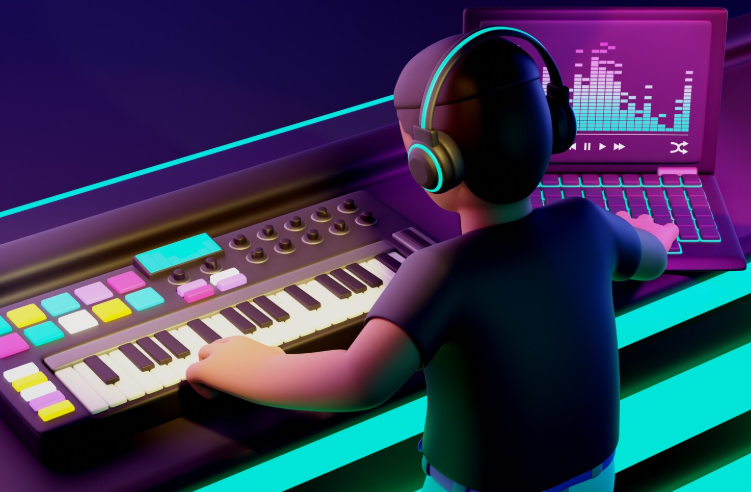
Tag: mastering with AI

  • Sell Your Music Online Like a Pro: Beginners’ Guide

    Sell Your Music Online Like a Pro: Beginners’ Guide

    Sell Your Music Online Like a Pro: Beginners’ Guide

    Introduction

    In today’s digital-first world, the ability to sell your music online has opened doors for artists everywhere. Picture this: you’ve recorded a song you love, but instead of relying on traditional labels or local gigs, you can instantly share it with fans worldwide and earn revenue without leaving your studio. This exciting shift empowers independent musicians to take full control of their careers, but it also means learning how to navigate the online music market effectively. The opportunities are vast, but so are the challenges, making knowledge your most valuable asset.

    In this blog, we’ll walk you through the essentials of selling your music online, from selecting the right platforms to optimizing your releases for maximum reach and revenue. You’ll gain insight into royalties, metadata, marketing strategies, and analytics—tools every artist needs to thrive. Whether you’re a solo artist, a band, or a producer, these tips will help you stand out in a crowded digital space. By the end, you’ll see exactly how A3 Tunes can simplify and supercharge your journey to selling music online. Discover our music distribution services here.

    Things to Know Before Selling Your Music Online

    Selling music online isn’t just about uploading a track and waiting for sales to roll in. It’s about understanding the ecosystem that connects your art to your audience, ensuring you’re paid fairly, and building your brand. Below are key factors every musician should know before jumping into digital sales. Each section is crucial because it influences your ability to earn consistently and protect your creative work.

    Choosing the Right Distribution Platforms

    Distribution platforms are the bridge between your music and major streaming services or digital stores. In 2025, top platforms include DistroKid, TuneCore, and CD Baby. Secondary keywords: music distribution services, streaming platforms.

    Each platform offers different pricing, revenue splits, and additional services like royalty collection or promotional tools. Some are better for frequent releases, while others cater to established artists with larger catalogs. Selecting the right one depends on your goals, budget, and target audience. Consider contract terms carefully before committing.

    Understanding Royalties and Payment Structures

    Royalties are your earnings from sales, streams, and licenses. In the digital age, there are performance royalties, mechanical royalties, and sync royalties. Secondary keywords: streaming royalties, digital music earnings.

    Different platforms pay out royalties on varying schedules and rates. Some pay monthly, while others may have quarterly schedules. Understanding these structures ensures you know when and how you’ll be paid, helping you forecast your income. This knowledge also helps you spot underpayments or discrepancies.

    The Role of Metadata in Music Sales

    Metadata refers to the information embedded in your music files, such as artist name, track title, and genre. In 2025, proper metadata is vital for discoverability on streaming platforms. Secondary keywords: music tagging, digital music organization.

    Without accurate metadata, your music might get lost in search results or fail to link correctly to your artist profile. This not only hurts your visibility but can also delay royalty payments. Always double-check your song details before uploading, as metadata errors can be costly.

    Building Your Online Presence

    Your online presence directly influences your music sales. A strong presence includes a professional website, active social media accounts, and consistent branding. Secondary keywords: artist branding, online music promotion.

    Fans need to find and connect with you easily. Building a community around your music increases repeat listeners and drives more digital sales. Share behind-the-scenes content, engage with fans regularly, and keep your branding consistent across platforms to build trust and recognition.

    Leveraging Analytics for Growth

    Analytics tools show you where your audience is, what they listen to, and how they engage with your music. Secondary keywords: streaming analytics, music audience insights.

    Using this data, you can make informed decisions about marketing, touring, and future releases. Analytics can reveal unexpected opportunities, such as niche markets or emerging trends in your listener base, helping you stay ahead of the curve.

    Steps to Sell Your Music Online Successfully

    Step 1: Prepare Your Tracks Professionally

    Ensure your music is professionally mixed and mastered before distribution. Quality is a non-negotiable factor in attracting listeners and industry professionals. Poor audio quality can damage your reputation and limit your opportunities.

    Step 2: Select a Trusted Distributor

    Choose a distributor that aligns with your goals and offers competitive rates, reliable royalty collection, and global reach. Research their client support, payout history, and user reviews to avoid hidden pitfalls.

    Step 3: Optimize Metadata and Artwork

    Upload high-quality cover art and ensure all track information is accurate to boost discoverability. A professional presentation increases listener trust and streaming platform recommendations.

    Step 4: Promote Before and After Release

    Create a marketing plan that covers pre-release hype, launch-day promotion, and post-release engagement to maximize visibility. Use social media, email lists, and collaborations to reach wider audiences.

    Step 5: Monitor Performance and Adjust

    Use analytics to assess your music’s performance and tweak your strategy for future releases. Regularly review what works and what doesn’t to refine your approach over time.

    Why Choose A3 Tunes for Selling Your Music Online?

    A3 Tunes offers an all-in-one solution for artists who want to sell their music online without the headaches of managing multiple platforms. We handle distribution to all major streaming services, ensure accurate royalty tracking, and provide marketing support to boost your releases. Our team combines industry expertise with cutting-edge tools to help you reach your audience and maximize your earnings.

    With A3 Tunes, you’re not just uploading your music—you’re building a sustainable career with a trusted partner who shares your passion for success. Our personalized approach ensures that your music gets the attention it deserves globally.

    Conclusion

    Selling your music online is a powerful way to share your art and earn income in 2025. By understanding the right platforms, royalties, metadata, branding, and analytics, you can turn your passion into a thriving business. Every decision you make—from the distributor you choose to the way you market—shapes your career trajectory. The more informed you are, the more control you have over your success.

    Summary

    We covered the essentials of selling your music online, including choosing distribution platforms, understanding royalties, leveraging metadata, building an online presence, and using analytics. With A3 Tunes, you gain a partner who simplifies the process, ensures global reach, and helps you focus on what matters most—creating music and connecting with fans. Selling music online may seem overwhelming at first, but with the right knowledge and support, it becomes a rewarding and sustainable path for any artist.


  • Top Mistakes to Avoid With AI Mastering

    Top Mistakes to Avoid With AI Mastering

    Top Mistakes to Avoid With AI Mastering

    Introduction

    AI mastering has revolutionized the way musicians and producers finalize their tracks. What once required expensive studio time and expert engineers can now be accomplished with the click of a button. But while artificial intelligence offers speed, affordability, and consistency, many users misunderstand its purpose or misuse the technology entirely. As AI mastering tools continue to grow in popularity, it’s important to know not just how to use them—but how to avoid common mistakes that could compromise the quality of your final product.

    In this guide, we’ll explore the top pitfalls artists make when using AI mastering tools, how these errors affect the end result, and best practices to ensure a polished, professional sound. If you’re seeking reliable AI mastering for your music, check out A3Tunes’ services here—designed by artists, for artists, to optimize your sound with precision and style.

    Things to Know Before Using AI Mastering Services

    AI mastering is not a one-size-fits-all solution. Understanding the limitations and capabilities of these tools is critical to getting the best results. Let’s first cover key insights to keep in mind before submitting your track to any AI mastering platform.

    Understand What AI Mastering Really Does

    AI mastering uses algorithms to adjust volume, EQ, stereo width, and compression based on pre-trained data and genre-based profiles. It automates what a human mastering engineer would typically do.

    However, it doesn’t “fix” a poor mix. If your track is unbalanced or muddy, AI mastering may emphasize flaws rather than improve them. It’s crucial to start with a clean, well-mixed track.

    Choose the Right File Format and Quality

    Uploading a compressed MP3 instead of a high-resolution WAV file significantly affects mastering results. AI algorithms work best with full dynamic range and uncompressed audio.

    Stick to 24-bit WAV files at the sample rate your project was recorded in (44.1kHz or 48kHz are standard). This gives the algorithm the cleanest canvas to work on.

    Be Aware of Genre-Specific Settings

    Most AI mastering tools provide genre presets. These influence how the algorithm processes loudness, EQ curves, and stereo spread.

    Mislabeling your genre or using the wrong preset can result in mismatched tonal qualities. Always choose a setting that aligns closely with your intended sound.

    AI Can’t Replace Human Emotion

    While AI is precise, it lacks emotional sensitivity. It doesn’t understand your song’s narrative, lyrical weight, or artistic intention the way a human can.

    This is why some tracks benefit from hybrid mastering—using AI for efficiency and humans for final refinements. Know your creative goals before deciding your approach.

    Not All AI Mastering Services Are Equal

    Every platform uses different algorithms, datasets, and user controls. A one-minute preview from one service might sound drastically different from another.

    Before committing, test multiple platforms and compare results. Some services, like A3Tunes, offer customized adjustments and user feedback loops for optimal output.

    Common Mistakes to Avoid With AI Mastering

    1. Uploading a Poorly Mixed Track

    AI mastering cannot save a bad mix. Tracks with uneven volume, clashing frequencies, or excessive reverb will only be amplified in their flaws post-mastering.

    Before uploading, ensure vocals sit well in the mix, the low end is clean, and there’s headroom (around -6dB) for mastering to work effectively.

    2. Ignoring Headroom Requirements

    If your track is already peaking at 0dB, there’s no space for the algorithm to enhance it. This can cause distortion or unintended volume compression.

    Leave headroom by lowering your master fader or using a limiter set to -6dB. This gives the AI mastering tool enough room to apply dynamic processing correctly.

    3. Overprocessing in the Mix Stage

    Too much EQ, compression, or limiting before mastering can limit what the AI can enhance. A track that’s overly “cooked” often sounds flat or lifeless after AI mastering.

    Stick to light processing during mixing. Let mastering handle the polish, volume, and final spectral adjustments.

    4. Choosing the Wrong AI Preset or Genre

    Selecting an EDM preset for a folk acoustic song can lead to over-compressed highs and exaggerated bass. AI mastering tools tailor output based on genre-specific targets.

    Take time to explore presets and listen to their impact. Choose the one that best suits your song’s instrumentation and dynamics.

    5. Mastering Without Reference Tracks

    Without referencing commercially released songs in the same genre, you won’t have a benchmark for loudness, tone, and balance.

    AI mastering services may let you upload reference tracks or select industry standards. Use these features to calibrate your sound.

    6. Relying Solely on AI Without Listening Critically

    Some users trust AI mastering blindly, never revisiting the result on multiple playback systems. This is a huge mistake.

    Always check your master on headphones, monitors, phone speakers, and cars. What sounds good on one system might not on another.

    7. Ignoring Final Output Settings (Loudness, File Type)

    After mastering, exporting in the wrong format or not checking loudness can ruin a release. Ensure your final file meets streaming platform requirements.

    Platforms like Spotify and Apple Music normalize tracks to around -14 LUFS. Make sure your AI master isn’t too loud or quiet.

    8. Not Backing Up the Original Mix

    Once you overwrite your mix with an AI master, you can’t go back. Always keep the original session and pre-mastered file.

    This allows you to try different mastering approaches later or return to your mix if you decide to hire a human engineer.

    9. Assuming One Master Works Everywhere

    Each platform—Spotify, YouTube, radio—has different compression and playback standards. A master optimized for one might underperform on another.

    Create platform-specific masters or check how your AI mastering provider adapts output for various distribution channels.

    10. Skipping Final Metadata and Tagging

    Proper metadata ensures your song is displayed correctly on streaming platforms. AI mastering doesn’t usually handle this.

    Use a tagging tool post-mastering to embed artist name, ISRC code, album title, and artwork. This step is vital for digital distribution.

    Why A3Tunes is the Smart Choice for AI Mastering

    Unlike generic mastering platforms, A3Tunes combines cutting-edge AI with music industry insight. Their mastering engine adapts dynamically to the unique character of each track, providing results that are both technically accurate and emotionally resonant.

    What sets A3Tunes apart is their user-first interface, support for multiple genres, and real-time preview features. Artists can receive feedback, make adjustments, and compare multiple versions before finalizing a master.

    Whether you’re mastering a single, an EP, or a full album, A3Tunes offers scalable solutions at competitive prices. Their AI is trained by actual mastering engineers, ensuring results that rival studio-level quality. Try it out here.

    Conclusion

    AI mastering opens new possibilities for musicians, but only when used wisely. Avoiding the mistakes outlined in this guide can help you produce professional-sounding tracks that hold up against commercial releases. From proper mix preparation to careful preset selection, every detail matters when handing your music over to an algorithm.

    By partnering with platforms like A3Tunes, artists can benefit from smart automation without compromising on sound. Keep learning, keep listening critically, and use AI mastering as a powerful tool—not a crutch—in your music production workflow.

    FAQs

    1. What is AI mastering?
      AI mastering uses artificial intelligence to apply EQ, compression, and other adjustments to audio tracks, simulating what a human mastering engineer would do. 
    2. Is AI mastering as good as human mastering?
      It depends on the track and use case. AI is great for speed and affordability, while human engineers offer more emotional and creative input. 
    3. What file format should I upload for mastering?
      Use high-resolution WAV files (24-bit preferred) for the best results. 
    4. Can I master a track that hasn’t been mixed?
      It’s not recommended. A clean mix is essential for effective mastering—AI or otherwise. 
    5. What’s the ideal headroom before mastering?
      Leave around -6dB of headroom in your mix to give the mastering algorithm space to work. 
    6. Do AI mastering platforms support genre presets?
      Yes, most platforms offer genre-specific mastering options to tailor output based on musical style. 
    7. How do I check if my master sounds good?
      Test your master on multiple devices—studio monitors, headphones, car stereo, and phone speakers. 
    8. Can AI mastering prepare tracks for Spotify and Apple Music?
      Yes, many services optimize loudness and file format to meet streaming platform standards. 
    9. Is it safe to rely solely on AI for all my mastering needs?
      For demos and quick releases, yes. For high-stakes projects, consider a hybrid approach or human review. 
    10. Where can I access A3Tunes AI mastering services?
      Visit https://a3tunes.com/ to get started with intelligent mastering for your music. 


  • AI-Powered Tools for Mixing, Mastering & Sound Design

    AI-Powered Tools for Mixing, Mastering & Sound Design

    In the ever-evolving world of music production, creatives are constantly seeking ways to enhance their sound and streamline their workflows. With the rise of artificial intelligence, the landscape of sound design has undergone a massive transformation. If you’re a producer, musician, or audio engineer aiming to push boundaries and unlock new dimensions in audio quality, AI-powered tools can offer unprecedented advantages in sound design, mixing, and mastering.

    This blog explores the most cutting-edge AI tools revolutionizing the music production industry. We’ll delve into key facts to consider before using these tools, highlight the top AI solutions for various stages of music creation, and explain why A3Tunes is your ideal partner for mastering the art of AI-driven sound design. Let’s dive into a world where creativity meets technology and explore how you can stay ahead of the curve in your audio journey.


    Things to Know Before Using AI for Sound Design

    Before diving into the world of AI in music production, it’s important to understand a few foundational concepts. These factors determine the success and relevance of your AI-assisted workflow and ensure that you’re making informed choices. From understanding AI capabilities to aligning them with your creative needs, each point plays a role in your production experience.


    Understanding How AI Interprets Audio Patterns

    Artificial intelligence in sound design relies heavily on analyzing and interpreting audio waveforms. Algorithms learn from vast libraries of music to identify patterns, genres, instruments, and vocal characteristics. This pattern recognition allows AI tools to simulate human decisions during the mixing or mastering process. Understanding this will help you choose the right tools and use them effectively.

    Secondary keywords: AI audio recognition, waveform analysis

    AI tools like iZotope’s Neutron and Oeksound’s Soothe use machine learning to understand tonal balance, detect audio anomalies, and apply surgical EQ or dynamic processing. Producers who understand how AI “listens” to their tracks can leverage it to make more creative decisions, rather than relying solely on presets.


    Matching AI Tools with Your Genre and Style

    Every genre has unique sound design requirements, and not every AI tool is tailored for all styles. For example, electronic music producers may benefit from AI synths that generate evolving textures, while hip-hop artists might focus on vocal clarity and beat dynamics. Understanding your genre’s needs ensures your AI choices align with your artistic vision.

    Secondary keywords: genre-specific sound tools, AI music genre matching

    Tools like LANDR and AIVA cater to different musical aesthetics. When selecting tools, check for features that resonate with your creative style—whether it’s automatic mastering, genre-based EQ suggestions, or intelligent drum sequencing. This way, AI becomes a creative ally rather than a limiting force.


    AI’s Role in Creative Collaboration

    Contrary to the fear that AI might replace creativity, these tools are designed to collaborate with humans rather than take over. They offer intelligent suggestions, identify mix issues, or generate musical ideas, but you remain the creative decision-maker. Viewing AI as a co-producer will help you harness its full potential.

    Secondary keywords: AI collaboration, human-AI creative synergy

    Take tools like Amper Music or Orb Composer—they generate initial ideas based on your inputs but leave room for customization. They’re ideal for sparking inspiration or building foundational ideas that you can later sculpt into polished tracks.


    Limitations of AI in Artistic Interpretation

    While AI excels in technical tasks, it can’t replace emotional depth or cultural context in music. Sound design that requires subtle emotional cues, experimental soundscapes, or improvisational energy often exceeds AI’s current capabilities. Being aware of these limits will help you use AI judiciously.

    Secondary keywords: emotional sound design, artistic boundaries of AI

    No AI can truly understand the emotional intent behind a melancholic violin solo or the raw energy of a live punk performance. These moments still demand human touch, intuition, and cultural understanding—elements AI may never fully grasp.


    Data Privacy and Cloud-Based AI Tools

    Most AI tools function via cloud processing, which means your raw audio files are uploaded to external servers for analysis and feedback. While this offers processing power and convenience, it also introduces privacy concerns. Knowing how your data is handled is essential.

    Secondary keywords: cloud-based audio tools, audio data privacy

    Before using tools like eMastered or CloudBounce, read their privacy policies. Some may use your files to further train their algorithms unless you opt out. Ensuring your sessions remain confidential is key to maintaining control over your intellectual property. Learn more about secure processes through A3Tunes features.


    Top AI Tools for Sound Design, Mixing & Mastering

    Below are the most innovative and effective AI-powered tools you should explore in your music production journey.


    iZotope Neutron for Intelligent Mixing

    Neutron uses machine learning to analyze your audio tracks and suggest EQ, compression, and transient shaping settings tailored to your mix. Its “Mix Assistant” feature sets a balance between instruments, giving you a strong foundation to fine-tune manually.

    Its spectral shaping capabilities and inter-plugin communication allow instruments to “talk” to each other, preventing frequency clashes. Neutron’s intelligent presets are based on musical genre inputs, making it ideal for any style of music.


    LANDR for Instant Mastering

    LANDR has democratized mastering with its AI-driven approach. Simply upload a mix, select a mastering style, and receive a polished file within minutes. Its algorithms adjust loudness, EQ, and stereo width with genre-appropriate settings.

    It’s great for artists who need quick results or want to test how a mix sounds in a mastered format. While professionals may prefer manual mastering, LANDR is excellent for demos and streaming-ready versions.


    Oeksound Soothe2 for Resonance Suppression

    Soothe2 intelligently detects and suppresses unwanted resonances in vocals, instruments, and even full mixes. It’s a dynamic resonance suppressor that applies EQ changes only when necessary.

    Especially useful on vocals, strings, and high-frequency-heavy sounds, it smooths harshness while preserving clarity. It’s a subtle tool that makes a huge difference in perceived audio quality.


    AIVA for AI Music Composition

    While not directly a mixing or mastering tool, AIVA is an AI music composition assistant that generates harmonic structures, melodies, and progressions based on your style preferences. It’s particularly useful for cinematic or ambient music production.

    Once you generate a base composition, you can import it into your DAW for further production and apply your own sound design using traditional or AI-powered mixing tools.


    Sonible smart:EQ 3 for Frequency Balancing

    smart:EQ 3 analyzes your audio and creates a custom EQ curve to achieve a balanced spectral profile. It’s especially helpful for cleaning up mud, enhancing presence, or balancing mixes in crowded frequency ranges.

    Its group processing features allow multiple tracks to be EQ’d relative to each other, ensuring clarity and space across your entire mix. It also integrates well with most modern DAWs and workflows.


    Why Choose A3Tunes for AI-Driven Sound Production?

    A3Tunes combines human artistry with cutting-edge technology to deliver audio production that stands out. With a deep understanding of both traditional techniques and AI-enhanced workflows, we offer services that capture your creative vision while benefiting from the latest advancements in sound design.

    Whether you’re a solo artist looking to polish a demo or a filmmaker needing cinematic soundscapes, our tailored approach ensures your project gets the attention it deserves. Our use of AI is strategic—supporting your creativity, not replacing it.

    Our clients appreciate the transparency, turnaround speed, and high quality of our services. We also ensure full data privacy and creative ownership in every step. With A3Tunes, you’re not just getting a service—you’re gaining a partner in sonic innovation. Contact us to learn more.


    Conclusion

    AI-powered tools are reshaping the landscape of sound design, making high-level production accessible, efficient, and creatively inspiring. Whether you’re exploring intelligent mixing, smart mastering, or AI-assisted composition, there’s an ever-growing arsenal of tools to elevate your music.

    Yet, the best results come from the synergy of machine precision and human emotion. At A3Tunes, we believe in using the power of AI to amplify your unique voice, not replace it. Our approach ensures your music is both technically sound and emotionally resonant.

    Explore our services today and discover how A3Tunes can help transform your sound—from the first beat to the final master.


    FAQs

    What is sound design in music production?
    Sound design is the process of creating and manipulating audio elements for music or media. It involves shaping tones, textures, and effects to achieve a desired sonic result.

    How does AI help with mixing and mastering?
    AI analyzes audio tracks for balance, clarity, and frequency distribution, then suggests or applies adjustments to optimize the overall mix or master.

    Are AI mixing tools better than human engineers?
    AI tools can offer quick and accurate results, but human engineers provide emotional depth, contextual understanding, and artistic interpretation.

    Can AI replace music producers?
    No, AI supports music producers by automating repetitive tasks and offering suggestions, but it cannot replace human creativity and intuition.

    What is the best AI mastering tool?
    LANDR and eMastered are popular choices for quick and effective AI mastering tailored to your music genre.

    Is AI-generated music copyright-free?
    It depends on the platform. Some AI tools grant you full rights, while others retain ownership or limit usage. Always check the terms.

    How secure are cloud-based AI tools?
    Most reputable tools use encryption and data protection, but it’s wise to review privacy policies to ensure your files remain confidential.

    Can I use AI for live performance sound design?
    Some AI tools can be used in real-time, but latency and processing limitations may affect live usage. Hybrid setups are more common.

    Which DAWs are compatible with AI tools?
    Most AI plugins work with industry-standard DAWs like Ableton Live, Logic Pro, FL Studio, and Cubase.

    Why should I choose A3Tunes for sound design?
    A3Tunes combines professional expertise with the latest AI tools to deliver high-quality, customized audio production that reflects your creative intent. For more resources, visit our FAQ page or read our blog to stay updated.